Welcome to Outsourse Web / Mobile / E-commerce Design Sites. This is your first post. Edit or delete it, then start writing!
Author: Alexey Mustafin
-

Exploring Printify’s Product Catalog: A Dive into Customization Options
[vc_row us_bg_video=”0″ height=”medium” color_scheme=”” us_bg_color=”” us_text_color=”” us_bg_image=””][vc_column][vc_column_text css_animation=””]Customization is the name of the game in eCommerce today as consumers look for personalized experiences with their favorite brands. As we talk about customization, Printify comes up as a leading print on demand (POD) platform. It offers a wide range of high-quality white-label products with various customization options. Additionally, the convenient POD model lets businesses pay for products per order, making it a great choice for entrepreneurs and small businesses.
This article explores the depths of Printify’s expansive product catalog and how the brand empowers its client’s creativity through customization.
Printify’s Product Catalog: Overview
Printify is well known for the size of its catalog among all the print on demand companies. It has products to suit all types and tastes of customers of every age and gender. Printify’s product catalog has over 850 products listed under five categories, including apparel, home decor, accessories, and even pet merchandise.
All Printify’s white-label products are ready to customize for personal preferences or specific occasions or events. We’ll discuss each product category in a bit, but first, let’s talk about why you should customize your products.
The Importance of Customization
Imagine you’re buying a collar for your dog. Which pet collar will be more appealing: one with your dog’s name or a generic one? Of course, the personalized one, right? This is why customization can be so important for your eCommerce store’s success. It lets you offer your clients:
- Unique products: You may offer a wide range of unique products by customizing one white-label product differently. Doing so lets you speak to various customer preferences, ensuring a product for everyone in your store.
- A reason to purchase: When you give customers a product that speaks to their individuality, they’ve got a good reason to purchase. For this reason, customization allows you to win higher conversion rates.
- Emotional investment: We all hate it when customers put everything in the cart and then abandon it. However, it’s less likely to happen when customers put more energy into customizing their products. They’re now emotionally invested in what they buy and won’t leave it behind.
Printify’s Platform
So, you want to start customizing products for your online store. That’s where Printify comes into the picture.
Printify’s platform offers an easy-to-use interface for new eCommerce store owners. It connects with five stores on different platforms, and with a free plan and unlimited design, you can start making money in no time!
Printify makes putting your unique designs on countless white-label products as easy as pie with its mock-up generator. All you have to do is:
- Choose a product to customize: Select your white-label product from various categories based on your niche. Customers have many options in pricing, model selection, and manufacturing location since several vendors offer specific products.
- Upload your unique design: Select the designs you’ve created for your items and upload them on the mock-up generator. It’s best to keep designs simple, diverse, and unique. Simple designs, like quotations or sayings, may be quite effective, but modern, fashionable designs are more attractive.
- Position it on your product: The mock-up generator requires placing your design in the print area. It gives a good idea of what the product looks like. The mockup generator includes DPI recommendations to ensure the result is crisp and clear.
- Preview your design: Review your product’s look and refine it if needed. You may also check out what it looks like on Printify models.
- Place a sample order: Order a sample to get the feel of your product. You can review the quality of material and design better when you have it in your hand.
- Display it in your store: Printify will sync automatically once you link your shop. Thus, Printify prints and sends your orders straight to clients when they place them on your site or via other sales channels.
From initial setup to creating your custom products, using Printify is a breeze. But what’s more? It offers 24/7 live chat support in case you’re stuck.
Product Categories
Printify’s catalog is diverse, with five categories with unlimited options. Create and sell high-quality products that cater to any taste or event by selecting from various brands and best-selling items. To narrow your search, you may choose a subcategory and then use the filters for:
- Size
- Color
- Cut
- Print supplier
- Fulfillment region
- Print choices
- Sleeve length and more.
Get the most out of your online business by exploring this comprehensive list of our product categories and getting a quick rundown on each one:
- Men’s Clothing – Find men’s t-shirts, long-sleeves, bottoms, sweatshirts, hoodies, tanks, sportswear, shoes, and more under the men’s clothing category. You can filter items by different types of design elements, such as neck and sleeves, to browse with ease.
- Women’s Clothing – Find all the women’s apparel, such as t-shirts, tank tops, skirts and dresses, hoodies and sweatshirts, swimwear, bottoms, shoes, and more under women’s clothing.
- Kids Clothing – Want to sell marching apparel for children and their parents? Choose kids’ clothes, sweatshirts, tees, and long-sleeve shirts in various sizes, styles, and shapes from this category. You will also find many baby and toddler apparel, bibs, hats, and more.
- Accessories – Add funk to personalized merchandise with accessories like custom belts, phone cases, face masks, socks, bags, underwear, mouse pads, bookmarks, and more.
- Home and Living – This is the biggest section of Printify’s catalog. There are various subcategories like home decor, kitchen accessories, bathroom, pillows & covers, towels, blankets, pets, drinkware, canvas, postcards, Christmas ornaments, posters, journals & notebooks, magnets & stickers, and so much more!
Customization Options
Printify does not provide a cookie-cutter solution when it comes to customization. Rather, they give various printing options to suit different products and personal tastes in design. These printing methods include:
- Direct-to-Garment (DTG) Printing – DTG is a popular printing method due to its low cost and printing precision for intricate designs. This technique uses water-based inks easily absorbed by the fibers to stain a garment. It can be used on apparel, custom tote bags, or products made from cotton or cotton blend.
- All-over printing (AOP) or Sublimation – AOP or sublimation techniques can be used on various materials with white surfaces. High heat and pressure allow the material to absorb dyes and finish smoothly. This method is commonly used for clothes, footwear, accessories, and home decor items.
- Direct-to-Film (DTF) Printing – DTF printing transfers patterns from a particular PET film to a product using adhesive powder and heat. Since DTF transfers use white ink, they may be applied to fabrics of any color, leaving textured, vibrant prints. However, the end print is much more durable than DTG prints and won’t easily peel. This is why it’s often used on activewear and neck labels.
- Other Printing Methods – Posters, greeting cards, notebooks, and other paper goods use digital printers with high-quality inks. You may customize drinkware like bottles and tumblers using sublimation and UV printing technologies.
Case Studies and Success Stories
Printify has helped many businesses break into fresh markets and increase the variety of products they provide. From fledgling businesses to well-known labels testing new product lines, the platform can accommodate various demands, as seen in the following success stories:
- Andrew Kasemeyer experienced great success with Printify and eBay’s integration to boost sales. He believes the platform’s POD product possibilities, eBay’s varied user base, and its seamless integration are important elements to run his online stores easily. He transitioned from Etsy to eBay for a demographic match for his Bitcoin and finance-related garment niche. This transition was a breeze since Printify easily integrates multiple stores, including eBay and Etsy. He attributes part of his meteoric rise on eBay to Printify’s high-quality standards and extensive product catalog.
- Rileigh Richardson started her POD store on Etsy. Targeting lower-competition, high-search volume niches using tools like eRank for keyword research, Richardson was able to attract organic Etsy traffic for sales. She earned $30,000 over the year through niche selection from Printify with over 3,500 listings. She attributes Printify’s wide product range and using design templates for scalability to her success.
- Printify’s Australian customers, Brett and Daisy, journeyed from zero to $200,000 a month with the power of niche selection and volume in print-on-demand. Using search engine optimization (SEO) tools, they optimized product listings on Etsy and targeted low-competition areas. As part of their plan, they listed hundreds of custom products, used product mockups well, and mastered split testing. Their success story highlights the significance of a well-thought-out plan, diligent effort, and appropriate resources in attaining substantial print-on-demand sales.
Conclusion
Among the many online POD marketplaces, Printify stands out as an easy-to-use and cost-efficient option for individuals looking to offer high-quality products with customization. With Printify’s extensive product catalog and flexible printing choices, entrepreneurs can make one-of-a-kind things that cater to customers’ need for customized experiences. Testimonials from Brett and Daisy, Rileigh Richardson, and Andrew Kasemeyer highlight the platform’s ability to turn innovative ideas into lucrative businesses. Printify is a fantastic chance for companies to stand out in the competitive online marketplace with its creative approach and supporting environment, as we know that the need for personalized items will only increase from here on.[/vc_column_text][/vc_column][/vc_row]
-
CPB is One Of The Top Ranking Customization Apps For Shopify
[vc_row us_bg_video=”0″ height=”medium” color_scheme=”” us_bg_color=”” us_text_color=”” us_bg_image=””][vc_column][vc_column_text css_animation=””]Custom Product Builder App has been ranking high among users and reviewers.
Recently we got featured in one more article comparing top customization apps for Shopify. Check it out!
CPB comes packed with features that could help you start selling customizable and personalizable products online or in-store within days not months. CPB App is ideal for design your own clothes, accessories, bags, furniture, pet toys, sport accessories and trophies, wheeled devices, accessories for mobile devices, gifts and promotional products, print-on-demand, products, neon signs, dimension & weight price products.
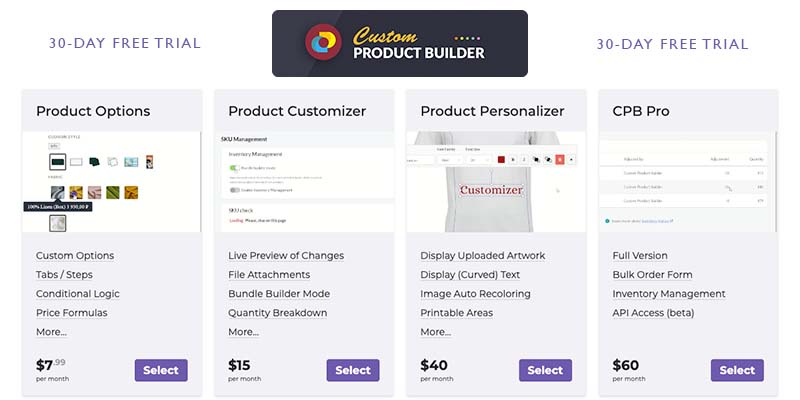
There are a few plans available to help fit any budget. All plans come with a 30-day free trial and you can always count on our team to help set up custom products.
All plans are free for development stores.
Product options plan comes with a variety of features to start collecting additional information from customers on your product pages. It comes with text and radio buttons, dropdowns, color and icon thumbnails, checkboxes, input fields & text areas, date pickers, additional qty fields, font color size and style selectors, additional price fields, deposit percentage fields.
You can group custom options into tabs or steps and display
summary tab with selected product customizations.
You can also reorder copy and paste or duplicate custom options from one product to another.
You can also add price formulas and logic through integrated OpenOffice Calc.
This Way the final custom product price is calculated based on variables customer input, dimensions or weight for example.
Custom Options plan comes with an unlimited number of custom products in orders, unlimited custom options and image assets, you can assign SKUs to custom products and go over Shopify’s 99 product variant limit.
Product Customizer plan introduces photorealistic live preview of customer selected options. You can also start collecting file attachments from your customers.
And if your custom product consists of components that are sold separately in your Shopify store, you can connect them using Bundle Builder Mode. In this case each customer selected option will be added to cart as a separate product. This will also take advantage of Shopify’s native inventory management system.
This plan also comes with quantity breakdown customization. It allows offering discounts based on volume purchased.
Product Personalizer plan includes all previously described features. Let your customers upload and preview artwork and photos if pre-defined printable areas.
Or allow choosing artwork from pre-uploaded galleries.
You can later export customer selected or uploaded artwork in required dimensions from order details page.
This plan also comes with an integration with remove background API service.
You can also let customers enter text including curved text with live preview in pre-defined positions.
You can offer custom fonts or any of the pre-uploaded Google fonts.
Users can also select font family, color or size. Add single or multiple lines of text.
This plan also allows you to recolor, grayscale, add metallic effect and apply patterns to existing product images or customer uploaded artwork on the fly.
CPB Pro plan is the full version of our app.
It introduces bulk order form which is a wholesale purchase order form for different sizes, models or colors for example. This plan also comes with inventory tracking. You can track inventory for custom options via SKUs linked to Shopify products. The inventory will be deducted from products after the order has been placed.
You don’t need to use Bundle Builder Mode in this case.
And the options that are out of stock will be hidden from frontend. We also offer Enterprise plan. If you are interested in getting access to CPB Application source code, please do not hesitate to email us to support@buildateam.io
If you have any questions or need help setting up custom products, adjusting styles to match your theme or have any specific custom development requirements do not hesitate to email us. We are here to help!
You can also find useful information, user guides and links to schedule free demo calls on our website: www.thecustomproductbuilder.com
Looking forward to seeing your custom products live![/vc_column_text][/vc_column][/vc_row]
-
Release [3.16.14] 2021-06-17
[vc_row height=”medium” color_scheme=”” us_bg_color=”” us_text_color=”” us_bg_image=”” us_bg_video=”0″][vc_column][vc_column_text css_animation=””]Added
- Added ability to change thumbnails slider position (vertical/horizontal)
- Added cart properties to config.json
- Added new “Screen” color blending mode for Image custom layer
Changed
- Fixed summary red screen
- Fixed loading error on stage
- Fixed “Checkbox” category issues
- Fixed update multi currency options/fix engraving repeat on-off/fix engraving configid
- Fixed required “Checkbox” category blocks product from adding to cart
- Fixed the category of the checkbox does not change in any way in the order props if you change the selection
- Fixed calculate field doesn’t work with “Dropdown Auto” category
- Fixed one of the layers is not passed through configID
Release [3.16.11] 2021-06-03
Added
- Added help popup on start when a new product is created the first time in the store (сlearing the cookies will make the popup appear again)
- Added min/max field for qtyBreakdown in the new editor
Changed
- Fixed extra duplicate products are created during the first installation: create demo products only in the first app install
- Fixed impossible to use multiple calculators where are all categories but one are hidden by logic
- Fixed upload images offsetX and offsetY are wrong
- Fixed product crash with variants pre-generation
- Fixed multiple text fields bug with a default value
- Fixed product does not load on Safari
- Fixed incorrect work of logic in Input categories
- Fixed flip image does not work with the “Add Edited Image With Coords By User To Cart Properties” option enabled
- Fixed incorrect behaviour of the Multiple Select category with enabled synchronization
- Fixed upload layer image replace/fix upload controls coverage. Fixed custom layers path coverage
- Fixed sticky preview glitch
- Fixed input fields settings in the new editor
- Fixed integer and numbers input fields for the new editor
Release [3.16.10] 2021-05-25
Added
- Added ability to use old versions of scripts starting from the current version. To do this, contact our support, we will switch the version of the script specifically for your store.
Changed
- Fixed the bug when layers aren’t displayed despite been set up correctly: fixed layers order
- Fixed the bug when deselecting synchronized multiple options
- Fixed Dropdown options is selected by default when initializing the app
- Fixed layers displayed incorrectly before the changes are done
- Fixed Product Edit button bug
- Fixed incorrect price per one product with added “Additional Price Field” category
- Fixed auto generated dropdown options logic doesn’t work
- Fixed console error “TypeError: Cannot create property ‘guid’ on number …”
- Fixed input value format in ‘Dropdown Auto’ category
- Fixed SKUs aren’t recognized if they contain “#” or “:”
- Fixed arrows work incorrectly when scrolling sticky preview
- Fixed loading chunks red screen for future releases. Starting from the current release, the location of chunks for old versions starting from the current one will be unchanged. During the current release, there is still a possibility of a red screen error, but in subsequent releases it will no longer appear. If you see such an error labeled “ChunkLoadError”, refresh your browser cache.
Release [3.16.5] 2021-05-14
Added
- Added “Flip Image” functional for “Display Artwork” custom layer connected to File Upload category
Changed
- Fixed “Image” Custom Layer & Color Thumbnail Logic isn’t working with a lot of custom layers
- Fixed “Artwork” area
- Fixed Cropping Area params in cart properties
- Fixed red screen error if canvas height or width less then 1px
- Fixed default value is not selected periodically in the “Input Multiple” category when initializing the app
- Fixed incorrect work of the logic engine in the checkbox category
- Fixed incorrect Price per one product with added “Additional Price Field” category
- Fixed the render block jerks on scrolling up in aloha theme with added “cpb-fix-image” class name
- Fixed Aloha theme issue, scrolling up does not work when switching to the summary tab
- Fixed Aloha theme issue, scrolling up does not work when switching to the next tab without “Panel Select View” parameter
- Fixed the additional price field value is not displayed on summary tab
- Fixed behavior of “cpb_ordered” cleaner
- Fixed preview mode while loading image inside “Display Artwork” custom layers, path with background is displayed
- Fixed “Layout Shift” for Render wrapper element
- Fixed error on add to cart a product with no views turned on
- Fixed bug in “Counter” category when using multiple options
- Fixed out-of-sync updating layers in state when fast change options value in the “Quantity” category
- Fixed user changes functional not working for “Multiple Select” category
- Fixed uploaded image doesn’t updates if it connected to two views
- Fixed some layers missed after filter->reorder->save operations
- Fixed select option value is equal to label in rare case
- Fixed the picture is moving out after window resizing
- Fixed field for preview layer displayed incorrectly before scrolling
- Fixed JSON with 100 text monogram options does not load when creating a product
- Fixed layers order if product media is selected as default view
- Removed ‘File Upload’ category from Default Options settings list
- Renamed demo products titles
- Optimized product layers updating by ~20%
Release [3.16.4] 2021-05-13
Added
- Added ability to run application front in iframe
Release [3.16.2] 2021-05-05
Changed
- Fixed views are missing in the description of the auto-generated products
- Fixed red screen crashes when loading a product
- Fixed incorrect currency on the phone in the aloha theme
- Fixed red screen on layer deleting
- Fixed error on import JSON without base image
Release [3.16.0] 2021-04-28
Added
- Added “Extra Class Name For Tab” field in tab settings
- Added “cropping/flip/black&white” image feature
- Added description for “Cart Properties Variables” section in product settings
- Added product preview button to the product list
Changed
- Fixed total canvas memory use exceeds the maximum limit when render preview in Aloha Theme in Safari browser on iOS
- Fixed red screen if you enable “Show thumbnail slider” and try to edit categories or options
- Fixed unable to select default options for dropdowns. All of default options is looks like selected and going to a cart
- Fixed browser tab freezes when clicking on a render with a lot of custom layers. Increased app performance when clicking on a option
- Fixed “Cannot read property ‘addEventListener’ of null” error with multi-currency widget
- Fixed wrong dimensions of image in the order properties of its size exceeded 15mb
- Fixed the category “deposit percentage” is displayed incorrectly in the summary
- Fixed Add To Cart error message in popup not displayed
- Fixed display artwork is not working when colorize from category is active
- Fixed “Enable/Disable Custom product builder for this product” feature doesn’t work
- Fixed incorrect price calculation when switching multiple “Quantity breakdowns” categories with logic enabled
- Fixed the active class is not added to the rows of the “Qty Breakdown” table if value is not specified in the option settings
- Fixed Add to cart not working with enabled “Deposit Percentage” category, “Pre-generated price variants” and “Bundler Builder Mode”
- Fixed updating layers does not work correctly when the “Clear previous options in:” or “Clear subsequent options in:” parameter is enabled in category settings
- Fixed error on inserting a panel into another custom product from the “Buffer”
Release [3.15.2] 2021-04-28
Added
- Added “Extra Class Name For Tab” field in tab settings
Changed
- Fixed total canvas memory use exceeds the maximum limit when render preview in Aloha Theme in Safari browser on iOS
- Fixed red screen if you enable “Show thumbnail slider” and try to edit categories or options
- Fixed unable to select default options for dropdowns. All of default options is looks like selected and going to a cart
- Fixed browser tab freezes when clicking on a render with a lot of custom layers. Increased app performance when clicking on a option
- Fixed “Cannot read property ‘addEventListener’ of null” error with multi-currency widget
- Fixed wrong dimensions of image in the order properties of its size exceeded 15mb
- Fixed the category “deposit percentage” is displayed incorrectly in the summary
- Fixed Add To Cart error message in popup not displayed
- Fixed display artwork is not working when colorize from category is active
- Fixed “Enable/Disable Custom product builder for this product” feature doesn’t work
- Fixed incorrect price calculation when switching multiple “Quantity breakdowns” categories with logic enabled
- Fixed the active class is not added to the rows of the “Qty Breakdown” table if value is not specified in the option settings
Release [3.15.0] 2021-04-16
Added
- Added ability to select any Product Media (image, video or 3D) as Default View in Global Settings and Tab Select View To setting
- Added ability to remove additional technical data such as SKU, quantity multiplier and price from Customer’s Product properties by setting in Add to Cart Mode tab of General Settings
- Added ability to remove category row from Customer’s Product properties by setting in category editor (old version)
Changed
- Fixed red screen when opening FontFamily category without default font selected
- Fixed incorrect price calculation when switching multiple “Quantity breakdowns” categories with logic enabled
- Fixed Browser tab crashes on a product with a large number of active options (~400pcs): added preloader if the number of active options is more than 100.
- Fixed situation when Color thumbnail options are hidden in the admin panel if they have logic
- Changed the layersCalculator function to asynchronous
Release [3.14.94] 2021-04-06
Added
- Added ability to attach SKUs from different tabs when the “Separate combined SKU by Tabs” option is enabled
- Added ability to change the name of the configId and productUrl keys in the cart item properties
Changed
- Fixed ability to disable panels titles in the cart
- Fixed image sizes in order intermittently does not work
- Fixed the autogenerated product does not have a base image if it has a size of more than 20MB (limitation from shopify)
- Fixed panel is not displayed in admin-off mode
- Fixed styles for auto-generated custom layers in the general list
- Fixed the reorder of the selected SKUs works slowly and incorrectly
- Fixed SKU property in the Summary tab
- Fixed default value doesn’t work for the text monogram field category
- Fixed input fields and dropdown categories are resetting by show/hide logic
- Fixed “Text monogram field” text is cleared when switching to another category
- Fixed wrong panel classes when there are panels hidden with logic
- Fixed deposit percentage stopped working with pregeneration mode
- Changed CSS breakpoint from 1000px to 1040px
- Changed prices visibility to hidden in the dropdown category by default
Hotfix [3.14.92] 2021-03-22
- Fixed panel is not displayed in admin off mode;
- Fixed styles for auto-generated custom layers in the general list;
Release [3.14.914] – 2021-03-22
Added
- Added more intuitive tabs interface
- Added tab editor in Editor v2.0
- Added scrolling to top on clicking next/prev tab buttons in Aloha theme
- Added Auto Multi-Currency Converter (Bear)
compatibility - Added Bundle builder errors messages on adding to cart
Changed
- Fixed ability to create products by the old method through adding to metafields
- Fixed upload image issues when there is a third-party Shopify app detector
- Fixed red screen on default settings
- Fixed invalid canvas styles on app startup
- Fixed the value in the quantity box is not visible in the Aloha theme
- Fixed MlVeda Auto Currency Switcher compatibility
- Changed: demo products will be created with ‘draft’ status
- Changed: Aloha is the default theme for new products
Release [3.14.0] 2021-03-13
Added
- Added demo products on first app install;
- Added fast preview mode on frontend for admins. You will be able to see how the product looks after saving immediately, without waiting for the configuration update in the CDN;
- Added ability to export/import product configuration as JSON in product Settings;
- Added “SKU check” alerts on options changes
Changed
- Fixed problems with App installation;
- Fixed error when no views are turned on;
- Fixed error when adding to the cart a product that contains options connected with the SKU;
- Fixed products list update delay when adding a new product or copying/deleting an existing one;
- Fixed a bug when entering value into the dynamic input field of the ‘Engraving For Wholesale’ category;
- Fixed Quick Search doesn’t work in dropdown;
- Fixed “Out Of Stock” option displayed by default;
- Fixed deselect spreads to other tabs;
- Fixed error on many “cpb_ordered” products deleting;
- Fixed “NO TITLE” tab is not displayed if “Rows Tabs” or “Column Tabs” are set in Default Layout;
- Fixed wholesale order minimum Purchase qty doesn’t set to 0;
- Fixed red screen on category edit;
- Fixed tokens problems when the store becomes unfrozen;
- Fixed option sku alert case when save option/remove selected default option from list in multiselect;
- Fixed ability to add selected option to multiselect default;
- Changed text in “Add to Cart Mode” tab of product Settings;
- Renamed “Save” button to “Apply” in modals.
Release [3.13.4] 2021-03-05
Changed
- Fixed incorrect order of Custom layer Image with colourization
- Fixed some CSS problems in CPB with the new interface
- Fixed black stripe at the bottom of the CPB
- Fixed synchronization issue in several tabs
- Fixed auto-generated options are not shown in the “Quantity Breakdown” category
Hotfix [3.13.3] 2021-02-25
- Fixed (no localize) line shows up in the cart;
Hotfix [3.13.2] 2021-02-24
- Fixed incorrect price calculation when changing qty box with “Synchronize Options By Label” enabled.
Hotfix [3.13.1] 2021-02-23
- Fixed mobile version styles overlapping.
Release [3.13.0] 2021-02-22
Added
- Added ability to rotate and transform a path in Display Artwork custom layer by new red controls and round its corners
- Added beta version of new category editor. You can switch it on in Global Settings
- Added beta version of printable areas category so that customers can add and move text and images within the area themselves
- Added “Synchronize Options By Label” with Multiple Select Category
- Added prices display for options in the Dropdown menu
Changed
- Changed location of Prices functionality. Now you can find price generator behavior control in “Add To Cart Mode” tab in General Settings
- Fixed new text layer is not displayed in the preview
- Fixed red screen if “Not selected” type of layer used
- Fixed incorrect generation of custom layers with the “Get Option Layer Image” enabled, where the category is of the ‘Dropdown’ type with “Synchronize Options By Label” enabled
- Fixed the qtyBreakdown category is not displayed in “Quantity Multiplier Source Category” dropdown
- Fixed options connected by SKU out of stock when product is not tracking
- Fixed SKU check doesn’t work with many options
- Fixed “select view to” in categories bug
- Fixed “select view to” in tab when some options are required
- Fixed min/max in text categories if a value is undefined
- Fixed dropdown deselect Panel error
- Fixed autogeneration is enabled as default. Now autogeneration is disabled as default
- Fixed the phrase in English is not shown if there is no translation in the current language
- Fixed description length limit on the product list page
- Fixed price limitations in options. Very large values can now be set. This is useful for currencies with a lot of extra zeros
- Fixed uploaded image without cropping in Display Artwork custom layer
- Fixed no translations for views in media slider
- Fixed Quantity category doesn’t set value on 0 by default
- Fixed broken synchronization of inputs with react
- Fixed broken synchronization of inputs with react
- Fixed “NO TITLE” tab is not displayed if Rows Tabs or Column Tabs are set in Default Layout
- Fixed strange behavior of input field of dropdown auto (generate options from a to b)
- Fixed pre-generation does not take into account all options
- Fixed JS minification doesn’t work for all dist files
Hotfix [3.12.12] – 2021.02.03
Changed
- Fixed Production CDN;
- Fixed New install app hasn’t Wrong Method;
Release [3.12.11] 2021-02-03
Added
- Added url migration to CDN for JSON and PNG files
- Added ability to show thumbnail dynamically based on the option selection
- Added wholesale prices per size feature
Changed
- Fixed red screen when turning off some active view
- Fixed Shopify media in slider broke and slider is not clickable
- Fixed red screen on mobile add to cart
- Fixed copying CPB product does not work correctly
- Fixed problem with adding to cart with specific font
- Fixed insertAnyCharacter min/max validation
- Fixed select view to function doesn’t work with one active view
- Fixed single choice customization becomes multiple select after following a link from the cart
- Fixed the default options do not work if there are logical conditions in the Panel
- Fixed incorrectly products behavior with function “Add Edited Image With Coords By User To
- Cart Properties” but without layer for that File Upload Option
- Fixed Font Size from category doesn’t work for Curved text
- Fixed clickable layers don’t work when Admin mode is off
- Changed contact email in after install letter
Hotfix [3.12.10] – 2021.01.29
Added
- Added Migration to multiple default options;
Changed
- Fixed Multiple default options;
- Fixed Styles/fixed default value filling;
Hotfix [3.12.9] – 2021.01.26
Changed- Fixed Red screen in mobile version, added intl locale polyfill;
- Fixed Red screen in mobile version – “Intl.NumberFormat(…).format is not a function”;
- Fixed Clickable layers don’t work when Admin mode is off;
- Fixed Problem with spaced sku;
[3.12.8] 2021-JAN-25
Added
- Added loaders for creating, cloning, deleting product
- Added translations to views buttons
- Added Quantity Multiplier Source Panel dropdown
- Added ability to remove all cpb_ordered (created by buyers) products
- Added ability to select more than one option in Multiselect category as Default
Changed
- Fixed Incorrect weight in cart properties when adding multiple products to cart
- Fixed Incorrect quantity subtracted from inventory when order created with multiple options connected to the same SKU
- Fixed The grouping additional products with same ID when add to cart with enabled Bundle Builder Mode
- Fixed Incorrect quantity subtracted from inventory when order created with Quantity multiplier value and Additional Quantity Multiplier or the order has properties with SKU and Bundle Builder Mode is enabled
- Fixed Pagination in getInventoryLevels function not working
- Fixed Shopify media thumbnails are broken in slider
- Fixed option to SKU linking that includes spaces
- Fixed Multiple category type options count limit
- Fixed the store hangs when processing a long array with low prices
- Fixed All logic with generation of variants was redone to asynchronous functions, if during the iteration the number of variants
- Fixed ‘Multiplier Source Category’ field only for ‘Text list’, ‘Dropdown’, ‘Quantity’, ‘Autocomplete’, ‘Dropdown auto’ categories
- Fixed the problem with updating layers from copied panel
- Fixed “Go to …” buttons doesn’t update depending on category logic
- Fixed app crashes in infinity loop if the option in the dropdown category is incorrectly created
- Fixed coords from configData are incorrectly used on render preview
- Fixed options are failed to connect with existing SKU
[3.12.6] 2021-JAN-05
Added
- Added stock availability validation. A message will now be displayed if more options are ordered than are available in stock
- Added SKU check feature in the SKU Management tab of Product General Settings to check the availability of all products connected via SKU to options
- Added button “Delete Old Variants” if the limit of auto-generated variants is exceeded and such variants were previously created
- Added “Show Counter Of Entered Characters” parameter in option settings for ‘Long Text Monogram Field’, ‘Multiple Text Fields’, ‘Text Monogram Field’ categories
- Added ‘insertAnyCharacter’ feature support for ‘Long Text Monogram Field’, ‘Multiple Text Fields’, ‘Text Monogram Field’ categories
- Added PRODUCT_BUILDER_OPTION_ACTIVATE and PRODUCT_BUILDER_OPTION_DEACTIVATE events to some clickable options
Changed
- Fixed changing the position of the uploaded image does not work if the File Upload category is tied to several custom layers
- Fixed endless products list page loading if you have more than 250 custom products
- Fixed SKUs and Prices are not displayed in order properties width calculateFields category
- Fixed incorrect price in the title of the generated product
- Fixed Red Screen when reordering any autogenerated categories options
- Fixed Can’t link an Option to an SKU that includes spaces
- Fixed prices generator: add category price to groups is there is no valid logic (check logic validation)
- Fixed Render not showing on mobile in alpine v2 theme
- Fixed Font Size from dropdown category gets numeric from option label, if the value field is empty
- Fixed Incorrect work of skew line in Curved Text
- Fixed Incorrect change of curved text width taking into account rotation around its axis
- Fixed disabling pre-generation with Additional price category (implemented the ability to add any categories in the future), in this case, the product is dynamically created when added to cart
- Fixed The “NotSupported” component is now self-contained and loaded before initializing the entire application (avoids errors in ie11)
- Fixed “Quantity” category default value not working
- Fixed pressing next button before the image is loaded and then the product is created without it
- Fixed red screen when you enter to edit option via input
- Fixed font size category default value
- Fixed incorrect position of new dots in Display Artwork layer with increased Scale in OS settings (high resolution screens problem: 2k, 4k .etc)
- Internet Explorer 11 added to unsupported browsers list
[3.12.2] 2020-DEC-15
Changed
- Fixed Changing the position of the uploaded image does not work
- Fixed Multiple categories with the same titles from different panels when added to the cart are combined into one
- Fixed The value from the ‘Date Picker’ and ‘Date & Time Picker’ categories is not passed to cart properties when the ‘Calculate Fields’ is added
- Fixed Global Settings saving
- Fixed Custom Fonts missing
- Fixed Popup to confirm product delete
- Fixed Rounding the “Scale” value for Image Coords in cart properties
- Fixed Safari iOS Text layer offset
[3.12.1] 2020-DEC-12
Added
- Added product-handle to initializer asset
Changed
- Fixed Incorrect operation of several “file upload” options from one parent category
- Fixed Incorrect work of “Clear subsequent options in This Panel” parameter
- Fixed The “Out of Stock” value hides category options in Admin mode
- Fixed Red screen error on “Date and Time” option creation
- Fixed Safari macOS Text layer offset
- Fixed products type update method crush: request page size is 10 now
[3.12.0] 2020-DEC-10
Added
- Added preloaders for Cloning and Deleting processes
- Added preloaders for Getting Products List process
- Added a new way to define a custom product. Now all custom products have product_type=”cpb_product”. You will be shown a notification about the steps required to switch to the new method
- Added Get Products Method switching popup
- Added ability to change Get Products Method from Global Settings
- Added Delete Layer Button in the custom layer list
- Added the ability to set checkboxes default state
- Added “Text Wrap” parameter in “Text” custom layer advanced settings
- Added “Show Counter Of Entered Characters” parameter in option settings for ‘Long Text Monogram Field’, ‘Multiple Text Fields’, ‘Text Monogram Field’ categories
- Added support ‘insertAnyCharacter’ functionality for ‘Long Text Monogram Field’, ‘Multiple Text Fields’, ‘Text Monogram Field’ categories
- Added “Round Path Radius” parameter in Display Artwork settings
- Added Params “Text Height Auto” and “Text Max Height” in advanced settings tab for Text Custom Layer
Changed
- Fixed font size category default value
- Fixed “Go To Summary” button is displayed even if the Summary tab is disabled
- Fixed Incorrect sorting of custom layers when adding a new layer with auto-layers from categories
- Fixed Preview image is not displayed correctly when compared to the final cropped image from the Upload file category
- Fixed Tooltips shown price of an option with $ sign when it’s 0.00 and without when it’s > 0.00
- Fixed the error of adding several categories to the cart with the same title
- Fixed File Upload remains in summary and cart even already file deleted
- Fixed updateCurrentLayerView not working with goToNextStep button
- Fixed modal style and after open scroll
- Fixed Image background inside Display Artwork shows even on chosen element
- Fixed Getting layers list in deleteLayers function with logic Engine
- Fixed script execution speed when updating layers
- Fixed Mouse events are triggered on an image that is outside the path
- Fixed Tap events not working for Display Artwork custom layer
- Fixed Round Path for mobile screens displayed incorrectly
- Fixed InputRange component min/max value validation
- Fixed Updating layers in admin mode works incorrectly, custom layers with complex logic are not displayed
- Fixed Incorrect currentTab index when selecting a conditional option
- Fixed Positioning bug on layers using the same image
- Fixed unable to add to cart if connected to option product is no more exists
- Fixed The option inStock parameter is incorrect if multiple options are used the same connected SKU
- Fixed Incorrect work of skew line in Curved Text
- Fixed product cloning
- Fixed product deleting
- Fixed ability to make stantard product as CPB product by action in “More Actions” menu of Shopify product editor (works only for new Get Products Method)
- Fixed Autocomplete critical error on edit options in input field
- Fixed Red screen when you click on the “edit options” button in Autocomplete category
- Fixed js-errors in console
- Fixed Date & Time picker visual bug appeared when changing the time
- Fixed Red screen when you click on the “edit options” button in Autocomplete and CalculatedFields category
[3.11.1] 2020-NOV-25
Added
- Added Cloning a panel
- Added Static classes to summary elements
Changed
- Fixed All collapsible categories are open by default when using the column list layout
- Fixed Image Coords Not Pass To ConfigData
- Fixed Collage is no longer showing in the basket
- Fixed Custom layers have shifted slightly in Safari
[3.11.0] 2020-NOV-24
Added
- Added “Round Path” and “Hide Path Tool” switch buttons in Display Artwork settings
- Added Undo/Redo/Reset functional in “Calculate Fields” component
- Added Cancel/Save buttons in “Calculate Fields” component
- Added ability to turn off Weight in the cart from the Settings
- Added Auto-scroll to the newly created custom layer
Changed
- Fixed bug with two Long text options in one category, remove LongText, merge long text with multiple inputs
- Fixed Value in React Multiselect is not reset in Display Artwork settings
- Fixed .jfif image is not loaded
- Fixed clicking on a Display Artwork does not work if an image is loaded in it
- Fixed The cloned product hangs at the stage “Loading product variants”
- Fixed The “Dropdown Auto (generate variants from a to b)” category not taking value from input field
- Fixed Incorrect data in the cart properties from the “Dropdown Auto (generate variants from a to b)” category
- Fixed Displaying values from “Dropdown Auto (generate variants from a to b)” category on summary tab
- Fixed image from Display Artwork disappears on mouseLeave event
- Fixed Clear options bug in “Dropdown” category
- Fixed Separate Order By Views in cart properties
- Fixed Positioning bug on layers using the same image
- Fixed Font Family is not rendering on Safari browsers
- Fixed input auto filled with default value
- Fixed Wrong Layer order for new custom layer
- Fixed “Add Edited Image With Coords By User To Cart Properties” functional
- Fixed Image offset looks like sets offset in pixels always the same amount, independently of screen size
- Fixed Incorrect sorting of custom layers when adding a new layer
- Fixed Reset btn doesn’t work for file upload categories
- Fixed Image URL from File Upload category not display in shopify order
- Fixed default monogram input layer value
- Fixed Add to cart collage image not working
- Fixed Safari macOS Image layer offset
- Fixed Sync by label price count bug
- Optimize resource loading for images (speed rendering)
[3.10.8] 2020-NOV-13
Added
- Added generator reaction for Pregenerated Product Name changes
- Added Display Artwork Fill Settings in “Advanced” panel, color selection for default, hover and active states
- Added The ability to bind the “Get Option Layer Image” parameter to multiple categories
- Added Support The “Text List” / “Dropdown” categories for text source values in “Text” and “Curved Text” layers
- Added Multiplier Render Quality description
- Added Theme modal active slide with border style
- Added Theme modal initial slide with active theme
- Added pagination for getInventoryLevels request
Changed
- Fixed Font Family is not rendering on Safari browsers
- Fixed InputWYSIWYG Content editing in “Source” mode not working
- Fixed Positioning, rotation and scaling control of images from option (which were previously created by cloning categories) inside Display Artwork custom layer
- Fixed Display artwork custom layer periodically shows an incorrect image when changing bound options
- Fixed Red error screen when deleting a category tied to a Display Artwork custom layer
- Fixed Positioning bug on layers using the same image
- Fixed The “Date & Time Picker” category does not pass the value to the cart
- Fixed Product = null on Added to cart
- Fixed Default Fonts do not appear on plain text
- Fixed Display of layers loaded from configid
- Fixed App hangs when loading images in two “File Upload” categories
- Fixed Cart properties images with enabled Separate Order By Views button in custom layers
- Fixed Font size value does not appear in cart and checkout page
- Fixed Shopify media image preview
- Fixed alpine-white-v2 theme preview image in Theme popup
- Fixed Multiplier Render Quality not working with Apple devices
- Fixed Theme Modal Adaptive height
- Fixed Alpine White II styles
- Fixed Text and Curved Text does not display values from auto generated options
- Fixed Logic tab of dropdown options shows Red Screen
- Fixed Next Step Button Text Template not working with Default Layout – Column List
- Remove Unnecessary setting in the file upload option
- Disable autogeneration if autogeneration is off and no variants pregenerated
[3.10.7] 2020-NOV-02
Added
- Added ability to use {{counter}} in Pregenerated Product name
- Added “Separate Order By Views” button for Custom Layers
- Added ability to remove panels (tabs) titles from the cart properties by switcher in the settings
- Added Auto Complete category
- Added Quantity category
- Added Alpine White Row theme
- Added .docx file type for validation
- Added ability to Disable the color selection of a custom character in the input option settings
Changed
- Fixed Date picker
- Fixed Font Family is not rendering on Safari browsers
- Removed “Clone This Layer Button” from layers generated by categories
- Fixed Cannot read property ‘setSize’ of undefined
- Fixed Error Cannot read property ‘enabled’
- Fixed Application dies after clicking on edit option
- Fixed Endless uploading of images when adding to cart
- Fixed Total Price, Qty values with Calculate Fields category
- Fixed InputWYSIWYG Content editing in “Source” mode not working
- Fixed Order properties File Upload value
- Fixed File-upload validation does not work with empty array of allowed files
- Fixed Order properties with the same category names
- Fixed canvas not fit into preview size after remount
- Fixed aside panel disposition on Form/Layers switch
[3.10.6] 2020-OCT-25
Added
- Added ability to disable loader scrolling to top by html-attribute ‘noscroll’ in #product-builder element
[3.10.5] – 2020-OCT-25
Added
- Added Support of Font Size From Category with Dropdown and Text list for Text custom layer
- Added ability to insert any character (symbol) into text input
- Added Image Controls for display artwork custom layer
- Added ability to select file types for File Upload category
- Added Danish translation
- Added ability to set Pregenerated Product Name template in General Settings
- Added ability to disable technical information in the cart such as configid and producturl by switcher in General Settings
- Added expanding the functionality of the custom layer Display Artwork
Changed
- Fixed A bug with resetting the Advanced tab parameters in the Custom Layer settings
- Fixed translating messages with dynamic template for File Upload error popup
- Fixed Maximum Number Of Characters mus be integer
- Fixed sorting of select language dropdown
- Fixed: Curved Text Red Screen – TypeError: Cannot read property ‘y’ of nulFixed Options disappear if after the filter you open and save the “Reorder” function
- Fixed Problem with logic when deleting categories
- Fixed File Upload edit options red screen error
- Changed ConfigID product name template from “{{configID}}” to “{{config}}”
- Updated React to version 17.0.0
- Updated Konva to version 7.1.3
[3.10.1] – 2020-OCT-09
Changed
- Fixed Cannot read property ‘id’ of undefined in File Upload option
[3.10.0] – 2020-OCT-08
Added
- Added New category – Additional price field
- Added Multiplier Render Quality tab in General Settings
- Added ability to working with weight: This consists of the weight of the original product and the weights of all options, taking into account their quantities
- Added ability to take base SKU from the original product or override it in the General Settings
- Added ability to enter custom name for autogenerated Customer’s Product in General Settings
Changed
- Fixed bodyParser parameterLimit
- Fixed Reset layers method
- Fixed Default font in category
- Fixed Uploaded image file rotation
- Fixed Z-index for active custom layer
- Fixed Curved text curving issue
- Fix Line height for curved text
- Fix Curved text and font family from category
- Fix Default options bug after product reset
- Fix Auto select the option from user changes object (Text List category)
- Fix Svg support for file upload category
- Fix Loading chunk error in safari
- Fix Summary with text fields
- Fix getVariants/get method: filter only cpb variants product type products
- Fix creating Customer’s Product if the variant in not founded: it must be created
- Fix variants generator work with autogeneration and without it
[3.8.2] – 2020-SEP-30
Added
- Added “Description” field to options to display them as additional information
Changed
- Fixed a price of generated customer’s product if the quantity is greater than 1
- Fixed adding, editing and deleting the custom characters
- Fixed blank tooltips should not render
- Fixed Red stack error – Cannot read property ‘call’ of null
- Increase custom font file size to 30 Mb
[3.8.1] – 2020-SEP-29
Changed
- Fixed The tooltip flies to the corner of the screen
- Fixed doubling images
[3.8.0] – 2020-SEP-26
Added
- Added Bundle Builder Mode. Additional products that have been linked to options via SKU will be added to the cart. (see in SKU Management tab of Settings)
- Added options Quantity Multiplier. It means how many items the option includes. This affects the final price and the quantity of additional items that will be added to the cart in the Bundle Builder Mode. (see in option editor)
- Added category Quantity Multiplier. You can set a common Quantity Multiplier for all options in a category. (see in category editor)
- Added the ability to select values of another category as a source of Quantity Multiplier value. (see in category editor)
- Added Clear Options button to remove all category options. (see in options list editor)
- Added the ability to fill options with numerical values in the range you specified. (see in options list editor)
- Added Count Space as Character parameter in option settings
- Added Line Height parameter for text layer
- Added Upload image customization file rotation
- Added ability to enable search input for dropdown categories
Changed
- Fixed bodyParser parameterLimit. Products with more options will now save error-free
- Fixed custom character price in summary panel
- Fixed Red stack error – Cannot read property ‘call’ of null
- Fixed Wholesale input field onChange method
- Fixed Red screen when changing category wholeSaleOrder to qtyBreakdown
- Fixed Problems with Long monogram
- Fixed Deselect of multiple select category
- Fixed A double tooltip is displayed when using Multiple select
- Fixed Changing the visibility of category title
- Fixed available options list for panel and category dropdown with enabled “Select Font Family From Category” parameter
- Fixed changing Curved text font family with enabled “Select Font Family From Category” parameter
- Fixed red screen when entering characters that are not supported by the font for Curved text
- Fixed Custom characters are removed if you add custom font to global settings
- Fixed Problem with engraving fields and summary tab
- Fixed input-select-cateogry filename
- Fixed shopify menu z-index: it should be under the modals
- Fixed Everything is shaking in the preview mode
- Fixed Incorrect render layers generation from configId
- Fixed Red screen when type smth in any text monogram field field
- Fixed Default font in category
- Fixed Moving buttons for image layer
- Fixed Strange behavior of options
- Fixed values types for some options
[3.7.10] – 2020-SEP-15
Added
- Added the type of character price change for Charge Per Character
- Added Portuguese + Japanese translations
- Added “Finishing” process to the generator
- Added close button to the generator
Changed
- Fixed Upload file category problem
- Fixed conditional logic (default options) for dropdowns
- Fixed limitOfSelectMultipleOptions input in category settings
- Fixed Update/Validate Input field value on Blur/Enter Keydown events
- Fixed Double click bug for thumbnails slider
- Fixed Autoplay bug on slide change
- Fixed Min/Max in General settings
- Fixed links applying to it’s file upload properties
- Fixed Change views with “Select view to” in tab settings
- Fixed ability to click on the arrows
- Fixed “Go to …..” doesn’t change when the real next tab changed
- Fixed generator text on some states
- Change Generator auto mode checkbox to switcher
- Update generator layout. Move autogeneration switcher to the top
- Fixed SKU for tooltips
- Fixed tooltips displaying for Multiple type options without icons
[3.7.9] – 2020-SEP-04
Added
- Added support for “Multi Currency Checkouts+” plugin
- Added number of selected options limit for Multiselect categories
- Added Debug switcher to Variants Generator. You will be able to see debug information in the console
- Added stopping the calculation of the Variant Generator by execution time
- Added “Generate a custom product on each Add to Cart” checkbox to the generator
- Added SKU to templates of option tooltips
Changed
- Fixed Multicurrency bug with Intl.NumberFormat
- Fixed images in the Summary very low quality
- Fixed ability to choose out of stock option when it’s loaded via configID
- Fixed variants generation: the Generator now respects the logic “AND”. Now the number of possible variants is calculated more accurately
- Change message logic in Variants Generator
- Fixed variants count limit
[3.7.8] – 2020-AUG-25
Changed
- Fixed currency getting in quantity breakdown table
[3.7.7] – 2020-AUG-25
Changed
- Fixed Multicurrency usage as not component
- Fixed Multicurrency usage in options of type ‘multiple’
- Fixed Bug with color option and required function
[3.7.6] – 2020-AUG-25
Added
- Added ability to delete unnecessary product variants if the product has ceased to have prices other than the base
- Added ability to use input field with type integer
- Added OptionTooltip component for custom option tooltips with that works with Multicurrency
Changed
- Fixed ability of to update the product variants with only base price
- Fixed red screen when the base price is null
- Prevent the ability to enter fractional percentages
- Fixed floating point bug with price on creating Customer’s Products
- Fixed checkboxes list wrap in logic of “One of…”
- Increased Summary image quality x2
- Fixed the generator must react to the change of the category type
- Fixed missing variants generation for categories with type “multiple”
- Revert Bold Multicurrency integration to working version
[3.7.5] – 2020-AUG-18
Changed
- Fixed availability of variant with price is equal base price
- Optimize price variant calculations
- Fixed extraneous categories activate synchronization of two simultaneously visible categories with the same sync tag: Synchronization should occur only for those categories that become visible
- Fixed displaying a user-selected option when showing it again
- Fixed generator prices difference check
[/vc_column_text][/vc_column][/vc_row]
-

Release v3.7.10 For Shopify
[vc_row height=”medium” color_scheme=”” us_bg_color=”” us_text_color=”” us_bg_image=”” us_bg_video=”0″][vc_column][vc_column_text css_animation=””]
[3.7.10] – 2020-SEP-15
Added
- Added the type of character price change for Charge Per Character
- Added Portuguese + Japanese translations
- Added “Finishing” process to the generator
- Added close button to the generator
Changed
- Fixed Upload file category problem
- Fixed conditional logic (default options) for dropdowns
- Fixed limitOfSelectMultipleOptions input in category settings
- Fixed Update/Validate Input field value on Blur/Enter Keydown events
- Fixed Double click bug for thumbnails slider
- Fixed Autoplay bug on slide change
- Fixed Min/Max in General settings
- Fixed links applying to it’s file upload properties
- Fixed Change views with “Select view to” in tab settings
- Fixed ability to click on the arrows
- Fixed “Go to …..” doesn’t change when the real next tab changed
- Fixed generator text on some states
- Change Generator auto mode checkbox to switcher
- Update generator layout. Move autogeneration switcher to the top
- Fixed SKU for tooltips
- Fixed tooltips displaying for Multiple type options without icons
[3.7.9] – 2020-SEP-04
Added
- Added support for “Multi Currency Checkouts+” plugin
- Added number of selected options limit for Multiselect categories
- Added Debug switcher to Variants Generator. You will be able to see debug information in the console
- Added stopping the calculation of the Variant Generator by execution time
- Added “Generate a custom product on each Add to Cart” checkbox to the generator
- Added SKU to templates of option tooltips
Changed
- Fixed Multicurrency bug with Intl.NumberFormat
- Fixed images in the Summary very low quality
- Fixed ability to choose out of stock option when it’s loaded via configID
- Fixed variants generation: the Generator now respects the logic “AND”. Now the number of possible variants is calculated more accurately
- Change message logic in Variants Generator
- Fixed variants count limit
[3.7.8] – 2020-AUG-25
Changed
- Fixed currency getting in quantity breakdown table
[3.7.7] – 2020-AUG-25
Changed
- Fixed Multicurrency usage as not component
- Fixed Multicurrency usage in options of type ‘multiple’
- Fixed Bug with color option and required function
[3.7.6] – 2020-AUG-25
Added
- Added ability to delete unnecessary product variants if the product has ceased to have prices other than the base
- Added ability to use input field with type integer
- Added OptionTooltip component for custom option tooltips with that works with Multicurrency
Changed
- Fixed ability of to update the product variants with only base price
- Fixed red screen when the base price is null
- Prevent the ability to enter fractional percentages
- Fixed floating point bug with price on creating Customer’s Products
- Fixed checkboxes list wrap in logic of “One of…”
- Increased Summary image quality x2
- Fixed the generator must react to the change of the category type
- Fixed missing variants generation for categories with type “multiple”
- Revert Bold Multicurrency integration to working version
[3.7.5] – 2020-AUG-18
Changed
- Fixed availability of variant with price is equal base price
- Optimize price variant calculations
- Fixed extraneous categories activate synchronization of two simultaneously visible categories with the same sync tag: Synchronization should occur only for those categories that become visible
- Fixed displaying a user-selected option when showing it again
- Fixed generator prices difference check
[3.7.4] – 2020-AUG-13
Changed
- Fixed “Select View To” function in tab when some options are required
[3.7.3] – 2020-AUG-12
Added
- Added correct display of options of type select in the list of options
- Added ability to select “Any” option in conditional logic
- Added ability to select “One of” options in conditional logic
- Added ability to append Combined SKU to Customer’s Product
Changed
- Fixed Default Options not working for Image Thumbnail category
- Fixed Required panel notifier text
- Fixed Image resolution for Iphone
[3.7.2] – 2020-AUG-06
Changed
- Fixed Preview sticky and buttons do not work together
- Fixed: option doesn’t pay attention to logic that includes color thumbnails options
- Fixed MultiCurrency: does not update price
- Fixed Preview Pixel Ratio For Safari
[3.7.1] – 2020-AUG-04
Changed
- Fix Lodash imports
[3.7.0] – 2020-AUG-04
Added
- Added Inventory Tracking. It can be enabled in the SKU Management tab in the General Settings of the product, but it will also be enabled for all your products. In some cases, the application may ask for more rights. You can now attach each option to an existing product via SKU. To do this, go to the edit option, enter the SKU and click “Connect to Existing Inventory”. After that, the display of this option will depend on the availability of the product in stock. Availability is verified when the customer opens the product page.
Changed
- Fixed MultiCurrency: does not update price for text layer
- Fixed MultiCurrency: the currency rate if default currency is different from currency “Bold: Multi Currency App”
- Fixed Error in console on update text layer
- Fixed Template customproductbuilder-initializer.liquid is missing css file
- Fixed all views to order properties passing: default view not displayed
- Fixed panel required return value
- Fixed Render resolution on Android
- Fixed Red screen when going to the next tab
- Fixed formatted price updating in the tooltip
- Fixed Multiple select options are checked by default
- Fixed InputSelect is not defined error
- Fixed Font style of curved text during initialization/update layer
- Fixed Vertical alignment for Monogram Field
- Fixed variants generation for type Multiple categories with uniform prices: cancel duplicates removing for this categories
- Fixed inventory policy for new created variants: now it will be ‘continue’ whick will allow you to buy it if its quantity is less than 1
- Fixed combined SKU in cart props if it’s not tab separated
[3.6.10] – 2020-JUL-25
Added
- Added Bold/italic/v-align features to layer text settings
- Added fixed text width field and word wrapping to text layers
Changed
- Fixed passing all views to order properties
- Fixed red screen error on switching to next tab
- Fixed By default, multiple categories are expanded on load
- Fixed checkbox “Add Next Step Button” hiding if “Disable Collapsible For This Category” checkbox is enabled
[3.6.9] – 2020-JUL-23
Added
- Added Checkbox “Display All Views in Order Properties” in general settings
- Added Changing font family, font color, font size by categories in layer settings
- Added Default Text Value field in layer settings
- Added ability to change views by category options
- Added extra class name field to the category
- Added ability to hide some layers in final product image thats wil be added to the cart
- Added Pixel Ratio field to general settings for final product image and for additional printable image
- Added Curved Text custom layers
- Added Transform to uppercase curved/plain text by default. Added switch button to layer settings
- Added Fonts to Conditional Logic
- Added required field to Panel if it is enough that at least one option is selected in the panel
Changed
- Fixed Bug with empty value from option on app load
- Fixed Add to Cart error
- Fixed configID doesn’t resurrect uploaded image upon CPB page load
- Fixed configID doesn’t resurrect monogram text upon CPB page load
- Fixed Issue with charge per character
- Fixed bug with adding points to the path face in layer settings
- Fixed disabling gradient fill is not working in Curved Text
- Fixed logic in Text list options doesn’t work
- Fixed Erase Problem in Text monogram and wholesale engraving
- Fixed Visual bug when select or deselect any option in any category
- Fixed Bug when changing curved layer color
- Fixed When changing the color of the text, the color of the strap is activated
- Fixed positioning and letters size in curved text layer
- Fixed Image Upload problem in Color Thumbnails
- Fixed Qty Breakdown Labels in table. Show Label instead of min qty of option only
[3.6.8] – 2020-JUL-9
Added
- Added connection between Quantity Breakdown and Wholesale prices
- Added Range slider for Quantity Breakdown (checkbox in category settings)
- Added Result interactive table for Quantity Breakdown (checkbox in category settings)
- Added ability to turn off deselecting to Deposit categories
- Added class attributes to deposit amount
- Added other translations for deposit amount
Changed
- Fixed cpb-option-qtyBreakdown-text: remove img tag
- Fixed Bug when choosing a quantity in Qty Breakdown larger than the maximum allowable
- Fixed ability to set zero percentage in Deposit category
- Fixed Red Screen on switching tabs
- Fixed categories link for the same option selection: synchronize label text
- Fixed Sticky Preview smooth scrolling
- Fixed validation for Deposit category options without thumbnails
[3.6.7] – 2020-JUL-6
Added
- Added method getTotalSku() to global object _cpb. Now you can use window._cpb.getTotalSku() in your scripts for getting current combined SKU
- Added Link Categories to select same option across different categories.
Changed
- Fixed variants generator for categories which have zero prices
- Fixed lodash imports
[3.6.5] – 2020-JUL-2
Added
- Added Arrows for thumbnails slider
- Added selected deposit row to aside total price
Changed
- Fixed Stop video playing on slider change
- Fixed The “Next tab” button does not go to summary panel
- Fixed The next and previous tab buttons are hidden by default
- Fixed Font family by default not working
- Fixed The total price of charge per entered character for monograms
- Fixed First character in Text monogram field category not displaying in admin mode
- Fixed Multiple select icons disappeared
[3.6.3] – 2020-JUN-30
Added
- Added the “Option Tooltip Template” field in category for types color/img/text/multiple
- Added Charge per entered character for monograms
- Added SKU to the Cart properties. You can turn it off in General Settings (in SKU Management tab)
- Added min/max input validation in admin and preview mode
Changed
- Previous and Next buttons is active by default
- Fixed Copying panels from one product to another stopped working
- Fixed too big image in Multiple select options (icon as value)
- Fixed Popup panel with required categories works incorrectly with agreement box
- Fixed it is almost not possible to erase all characters in input with “chargePerCharacter” param
- Fixed when buffer is empty and you are trying to insert – appears js error
- Fixed Error on insert with empty custom layers
- Fixed Min qty settings does not work
- Fixed Engraving Text Monogram Layers Repeat feature – red screen error
- Fixed “multiple” type category shown logic does not work
- Fixed The thumbnail is not displayed, but after saving, the thumbnail of the option is displayed in the list
- Fixed radio buttons on white screen in “engravingForWholesale” category editor
- Fixed Problem with options default value in Long monogram and Engraving
- Fixed text transform controls for “Font Family” categories not displayed
[3.6.1] – 2020-JUN-18
Changed
- Fixed Engraving For Wholesale: problem with (same text/diff text) modes
- Fixed Product page is unresponsive with a too many variants (admin mode)
[3.6.0] – 2020-JUN-12
Added
- Added Combined SKU editor in Product Settings (General Settings). Each panel can display a composite SKU of its categories. You can customize the order of the categories in which these SKUs should be compiled.
- Added Clone button for Custom Layers
- Added “Multiply” blend mode for Colorize custom layers
Changed
- Blend with color-overlay feature renamed with “Luminosity” blend mode. This works as an appropriate blending method in Photoshop
- The mixing mode switch is now presented as a drop-down list, as there are now more than two mixing methods.
- The standard blending method is named as “Normal”
- Alpha Transparency is now renamed to Blend Strength, as it has nothing to do with transparency
- Options with a price of 0 now do not display the price in the cart as “(0)”
- Fixed Custom Layers render
- Renamed Price Percentage category type with Deposit Percentage
[3.5.6] – 2020-JUN-11
Added
- Added global hooks for react-svg
Changed
- Fixed logic-engine for default options
- Fixed +/- texfield buttons not working
- Fixed Input Text fields are quite slow
- Fixed lodash import in layers calculator
[3.5.5] – 2020-JUN-9
Added
- Added Price Percentage category type. You can set a payment plan by reducing the total amount as a percentage. In this case, the total_price parameter with the final price will be added to the cart. It works only in one copy per product.
- Added hidden label to Image Thumbnail and Price Percentage options that can be displayed by shop styles
Changed
- Optimized dynamic categories/layers generation speed
- Changed field labels in the option editor
- Fixed InputText maximum attribute
- Fixed engravingForWholesale layers update on qty-box changing in other panels
- Fixed Panel validation on tab change
- Fixed red screen errors caused by Image Thumbnail category
- Fixed global font delete bug
- Fixed bugs related to adding and removing the custom fonts
- Fixed problem with default check marks in new categories and new tabs
[3.5.4] – 2020-JUN-4
Added
- Added Custom Fonts choosing in Fonts tab of Product Settings popup, at the beginning of fonts list
- Added ability to upload SVG to Image Thumbnail category
- Added ability to use function return instead of callback to saveConfig method
- Added “Cancel” button to Layers editor
- Added ability to filter layers
- Added ability to disable deselecting previously selected option for “Image Thumbnail”, “Color Thumbnail”, “Text List” and “Dropdown” categories
Changed
- Fixed min/max values validation of qtyBreakdown category, improved connection between their settings and options
- Fixed input-length validation with delay on blur
- Fixed Font Family category onChange method, add it’s value to cart product properties
- Fixed categories showing/hiding by logic in admin mode
- Fixed resetting options in fontFamily dropdown on switching between Layers and Forms sections
- Fixed switching fonts in admin mode
- Fixed window._cpb.saveConfig method that returns configId, which you can use to generate a link to this product with saved choices by the user
- Improved compatibility with popular browsers
- Fixed IE/Edge support
- Fixed Firefox on iOS support
- Fixed other mobile browsers support
- Fixed resetting the scale/offset on nearest options changes
- Fixed large error temporarily when you adding to cart
- Fixed incorrect work of quantity box and options
- Fixed error throws on adding more than 15 options to category
- Fixed custom layers render with default options
- Fixed qty box counter bug and loader breakpoint for engravingForWholesale category
- Improved saving by sending data in one string instead of data separated by many params what fixes the “Payload too large” problem
- The first 95 options are now generated inside the original product
- Removed excess console.debug messages
[3.5.3] – 2020-MAY-21
Added
- Added Quantity Breakdown category. Now you can set the price depending on the quantity of the product.
- Added Min / Max Qty allowed to add to cart setting.
- Added Custom Fonts selector inside product general settings
- Added ability to switch from pre-generated price variants to auto generated products at the checkout.
- Added Yandex.Browser and Vivaldi compatibility
Changed
- Fixed undefined category error on update layers
- Fixed supported browser validation
- Fixed Cancel action clears Global Settings after startup
- Changed variants generator text for cases with variant limit exceeded
- Changed Firefox compatibility version: 68.8.1
- Fixed image upload
[3.5.0] – 2020-MAY-21
Added
- Added Global Settings feature. A menu with the Settings button now appears on the product list screen. These settings will apply to all products if they do not overwrite this. More settings will appear in upcoming releases.
- Added Custom Fonts feature. The first Global Setting was a list of Custom Fonts. Now you can upload your fonts in TTF format and give them a names.
- Added display of Shop ID on Products List menu for quick debugging.
[3.4.4] – 2020-MAY-20
Added
- Added Colorize Uploaded Image feature. The uploaded customer’s picture can now be colorized
- Added classes for ‘Image Thumbnails’ category
Changed
- Fixed url is undefined for option type “color”
- Improved image quality on Safari if the number of layers is less than 10. Keep the quality of the layers on Safari original if the number of layers is less than 5
- Changed the Startup order. Now shop data is loaded first
[3.4.2] – 2020-MAY-15
Added
- Added creation of Customer’s Product on Adding to Cart if the variant was not pre-generated
- Added the “Ok” button for some non-critical errors
- Added class names for quantity-box
- Added thumbnail upload area for “Color Thumbnail” category
- Added + / – buttons for collapsible categories title styling, disable collapsible for specific category
Changed
- Fixed render text alignment
- Fixed Font Family settings update
- Fixed edits for ‘engraving For Wholesale’ category
- Fixed nonexistent rules in logic settings
- Fixed rule error in settings if the panel is undefined
- Fixed Microsoft Edge compatibility: added Promise prototype onFinally polyfill
- Fixed: Default Value is set on other options when ‘img’ category is changed
- Fixed: Text monogram fields are reset to zero on select change
- Fixed nonexistent rules in logic settings
- Fixed logic engine for custom layers
- Fixed .png image upload
Link to the complete CHANGELOG FOR SHOPIFY[/vc_column_text][/vc_column][/vc_row]
-
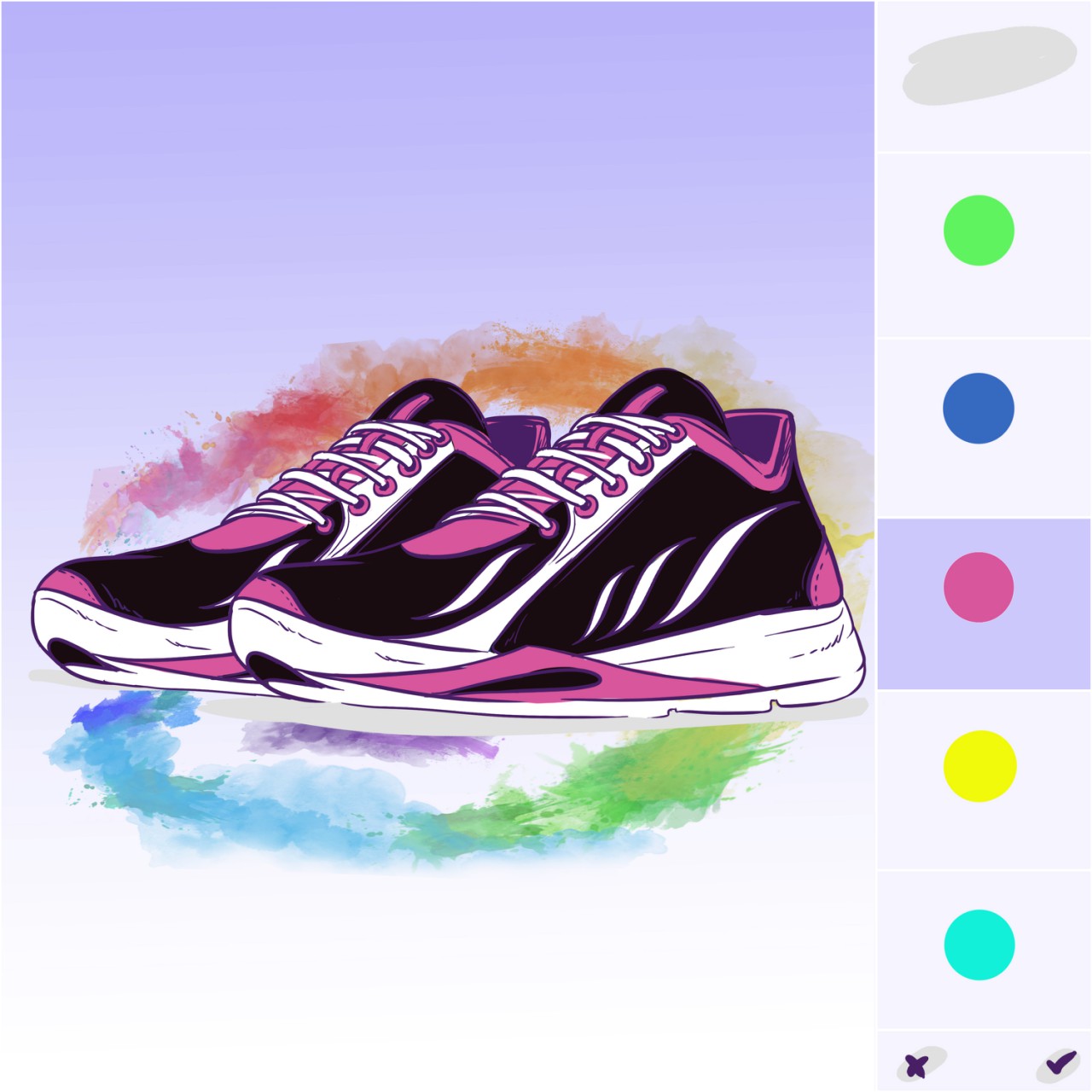
Release v3.3 For Shopify
[vc_row height=”medium” color_scheme=”” us_bg_color=”” us_text_color=”” us_bg_image=”” us_bg_video=”0″][vc_column][vc_column_text css_animation=””]
[3.3.0] – 2020-MAY-4
Added
- Added variants generator (button near SAVE)
- Added product_type=”cpb_product” to new products created in CPB
- Added product_type=”cpb_variants” to new generated products with pricing options
- Added connection between Color Thumbnail categories and Text custom layers: now you can change text color by this category
- Added Font Family category
- Added Font Size category
- Added copy and paste panels through buffer in General Setting
- Added disabling deselect previously selected option
- Added validation required categories on active panel change (added checkbox in Panel settings)
Changed
- Fixed IE11 compatibility
- Fixed price variants loading
- Fixed Main menu size ratio
- Fixed Default Settings doesn’t cleared by categories logic
- Fixed display images for multiple panels on Summary tab
- Fixed Edits for ‘engravingForWholesale’ category
- Fixed correct prices for configId layers
- Fixed click on the “+” or “-” sign scrolles page to top
- Fixed multiple “Monogram Text Field” in one category show same text
- Fixed Dropdown default option shown as unselected
- Fixed wrong order of cart options
- Fixed many custom layers for one panel
- Removed variants generation on Save
- Removed theme publish webhook
- Renamed Custom Layer “Path” > “Display Artwork”
- Increased request timeout to 1.5 min
- Reduced collage width to 800px
- Reduced canvas pixelRatio for Safari to prevent memory leaks
[3.2.1] – 2020-APR-22
Changed
- Fix undefined preview and image objects on BASE_IMAGE_ADD reducer
- Removed unnecessary functionality from PreviewControls
- Fixed cart property price calculation for Engraving category
- Reduce deployment time: Remove unnecessary removed stores checks
- Fix undefined category getted by Default Options in layers-calculator
[3.2.0] – 2020-APR-19
Added
- Added “Engraving for Wholesale” customization category. Now you can make order with different custom text for each item in a large quantity order.
- Added customizable Agreement Checkbox near add to cart button. You can customize it in General Settings
- Show base image upload on preview only if product have no layers (you still can upload base image through Layers tab
Changed
- Fixed base image upload bug
- Reduced release deployment time: removed unnecessary checks.
[3.1.13] – 2020-APR-7
Added
- Added Wholesale Order / Size Breakdown Option. Now total quantity can be split between different sizes within one order.
- Added translation for “Quantity” field
- Added translations for loading and error screen
- Image Upload file size increased to 10Mb
Changed
- Fixed setting translation locale on startup
- Fixed red screen while deleting panel
- Fixed red screen when a disabled plugin mlveda multicurrency is present
- Fixed file upload error messages. Now the cause of the error is displayed again
[/vc_column_text][/vc_column][/vc_row]
-

release v3: Magento 2 and Shopify update.
[vc_row height=”medium” color_scheme=”” us_bg_color=”” us_text_color=”” us_bg_image=”” us_bg_video=”0″][vc_column][vc_column_text css_animation=””]Latest release includes:
Features:
* Rewritten render module. Changes will now happen faster, creating fewer redraws. We are still finalizing it in order to eliminate all the shortcomings. Possible bugs.
* Colorized layers now use sophisticated color mixing instead of the usual solid color overlay. Now products with such layers look more natural.
* Added [no named] labels to categories and panels with empty title and options with empty label in layers editor
* Added new main menu to the Admin mode
* Dropdown option replaced with new one. Now the appearance of the dropdown list can be customized
* Added ability to cancel redirect when a customer adding to cart
* Added global variable cpbImageStorage to control images in the application with external scripts
* Added ability to add icons to Dropdown category options
* Added _productUrl parameter to product in cart
* Added loading screen when Shopify loading application
* Add AUTO CURRENCY SWITCHER integration to MultiCurrency component
* Add BOLD MULTICURRENCY integration for Multicurrency component
* Optimized and fixed app and data loads
* Modified getProductData to fetch json file directly from the cloud storage rather than api backend. Thats also required for the CDN to serve configs
* Refactored app initializer to avoid unnecessary redundant calls
* Removed browser DOM render blocking during the app init
* Added loggers and annotations to app and container controllers
* Created offline product view html page for the local debugging and testing with all the engines supported
* Reduced the bundle build time to 10sec locally
* Removed unused packages and imports
* Reduced app load and init time significantly
* Refactored Redux state
* Ensured interoperability of productView on all supported platforms
* Added fetch polyfills for legacy browsers
* Added error handling for the getEntityUrl methods
* Added new Loading component with status display
* Eliminated unnecessary renders of Aside component
* Added lazy load for admin layout parts
* Added Dataloader to the container
* Changed jQuery Ajax calls for data load to fetch API
* Upgraded React to 16.8
* Refactored backend server
* Updated npm packages; babel and webpack upgrade and reconfiguration.Fixes:
* Fixed application layout. Preview side has now become more adaptive
* Fixed preview image resizing
* Fixed multicurrency switchers compability for Doubly Currency Converter, Bold Multi Currency and Auto Currency Switcher (mlveda)
* Fixed blurry preview on retinas and devices with non-standard screen scales
* Fixed shopify authentication for the application
* Fixed application installing
* Fixed applying logic to other options
* Fixed required fields validation: check empty inputs and numbers
* Fixed form clearing when you delete layer
* Fixed critical error when switching Layers editor tabs
* Fixed ‘multiple’ type category validation
* Fixed ‘text’ type category validation
* Fixed Default Options feature
* Fixed failure of the save function with too many parameters
* Fixed missing arrows for switching view
* Fixed collage alignment: make it to one vertical line
* Fixed help modal toggling
* Fixed most of the strict mode warnings for React Strict modeTemporarily disabled features
* Layer color on mouse hover
* Save Configuration button
* Quantity category type[/vc_column_text][/vc_column][/vc_row] -
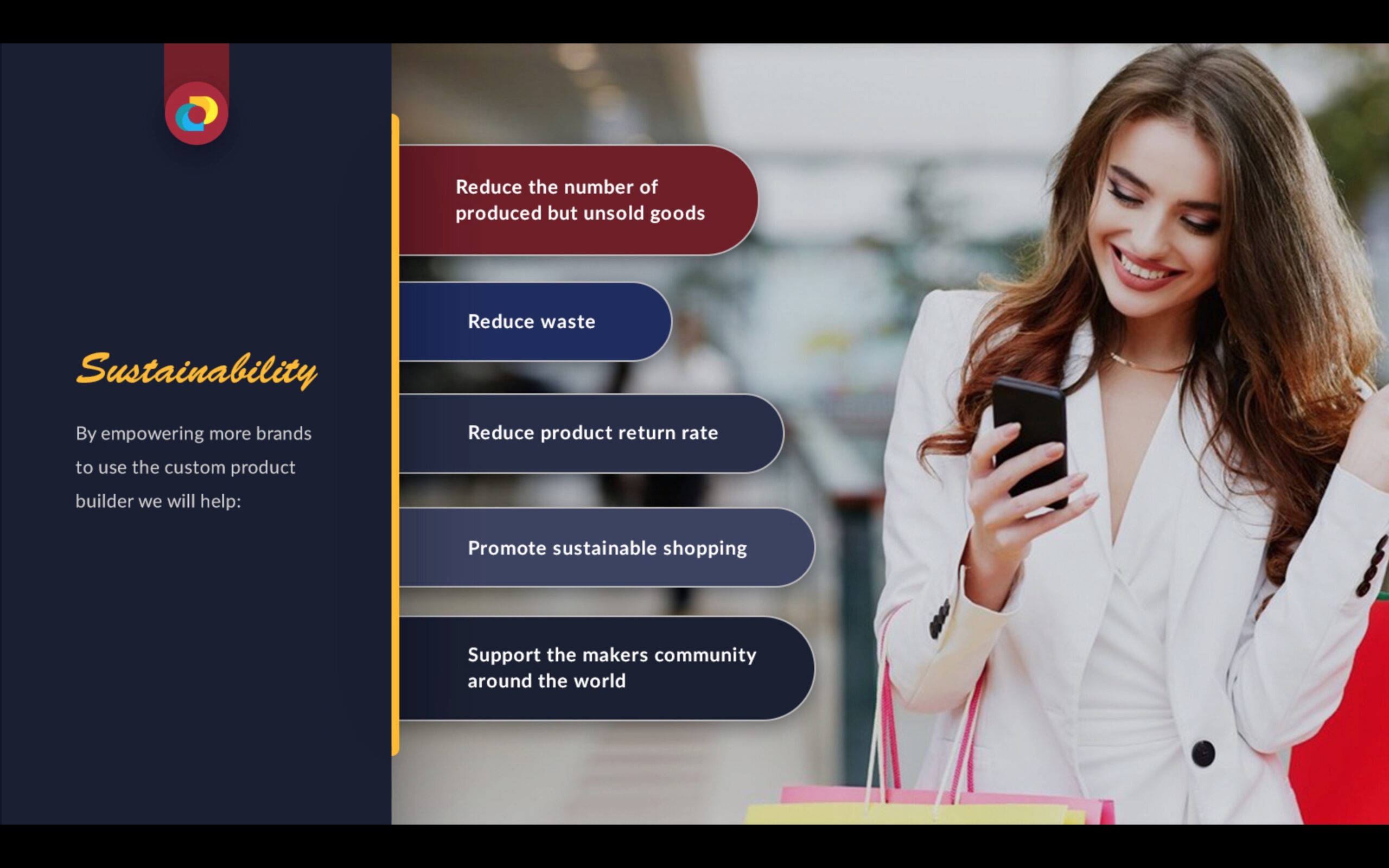
The Future Of Mass Customization & Personalization
[vc_row us_bg_video=”0″ height=”medium” color_scheme=”” us_bg_color=”” us_text_color=”” us_bg_image=””][vc_column][vc_column_text]Most of manufacturers, retailers, and promotional product suppliers are using outdated distribution methods, manufacturing processes and customer facing technology.
Mass producers in many cases scatter their product among as many outlets as possible in the hope for it to generate a profit or add their inventory online creating thousands of product listings to showcase all available modifications of the same product.
Inventory is built in anticipation of potential, yet uncertain, demand while manufacturing organizations are facing more and more fragmented markets and increased demand of variety and personalization options from consumers. One size does not fit all!
At the same time major promotional industry suppliers are still processing orders using spreadsheets, emails with PDF proofs and outdated API methods. Distributors don’t have an easy to use system to sell promotional products online without spending a lot of money and time on preparing the product information for sale and manually processing orders.

The concept of mass customization and personalization has become one of the key issues in the operations management theory and practice. Therefore, manufacturers need to develop technologies and systems to deliver goods and services that meet individual customers’ needs.

Have you ever seen or used ‘Build Your Own BMW’ or NikeId or ‘miadidas’ products?
In one of the case studies of ‘Build Your Own BMW’ it was said that more than 50 percent of mass manufactured BMW cars did not have a potential consumer when they rolled off the final assembly line.
At the same time case studies suggest that the main reason for BMW’s global success, despite being much smaller than auto giants like GM or Toyota in terms of annual sales was that the company started offering personalized cars. Because of this, customer satisfaction with a BMW purchase was higher than what they obtained by buying a mass produced car.
My individual Adidas is the mass customisation offering Introduced in 2000, that provided a service that had previously only been available to top athletes.
While bigger brands may have the capabilities to develop technologies and systems to deliver goods and services that meet individual customers’ needs, it requires a significant upfront investment of budget, time and technical knowledge.

At Custom Product Builder we empower makers, manufacturers and retailers to offer customization and personalization for their products online or in-store without major upfront costs.
By digitizing, demonetizing and democratising mass customization and personalization technologies and working hand in hand with manufacturers, suppliers and latest innovations in mass production like 3d printing, laser cutting & engraving, AI & robotics we can help spread the new sustainable shopping experience like never before.
Our platform has an easy-to-use modern responsive Interface that offers a number of product customization and personalization options and suppliers.
It’s currently available for Shopify & Magento and integrates with any ERP system via javascript snippets and REST API, which means it can be configured and integrated into production within weeks, not months.
Imagine mass customization and personalization as the default option in every store as the future of retail?

Our application was featured in a case study by a Magento Golden Partner for a large US-based Furniture Manufacturer that wants to offer an ability to order custom made furniture at the brick and mortar locations.=
The platform is also being used by a Logitech company – Ultimate Ears and a number of medical equipment companies and emerging fashion & accessory brands. Every week we get surprised by the variety of use cases.
While promoting customization and personalization among the community we also help promote more sustainable shopping, where goods are manufactured Just-In-Time..
That reduces the waste and impact on the environment, lowers product return rates and increases customer loyalty.
In addition to powering brands separately, we are also planning to launch the first ever marketplace powered by our customization technology using the inventory of thousands of merchants that have integrated our plugin into their existing stores. It will be a unique marketplace with personalized shopping experience like never before.
The adoption of mass customization and personalization is a slow process without the proper resources and access to the key decision makers in the industries.
We are looking for partners and advisors interested in manufacturing / retail / ecommerce innovation to help us spread this technology and help fuel the adoption of mass customization and personalization as a default shopping experience option.
There are millions of retailers looking to upgrade or implement a custom product builder into their existing systems and thousands of new stores looking for a solution like ours open daily across major e-commerce providers.
Together we will change how the World shops![/vc_column_text][/vc_column][/vc_row]
-
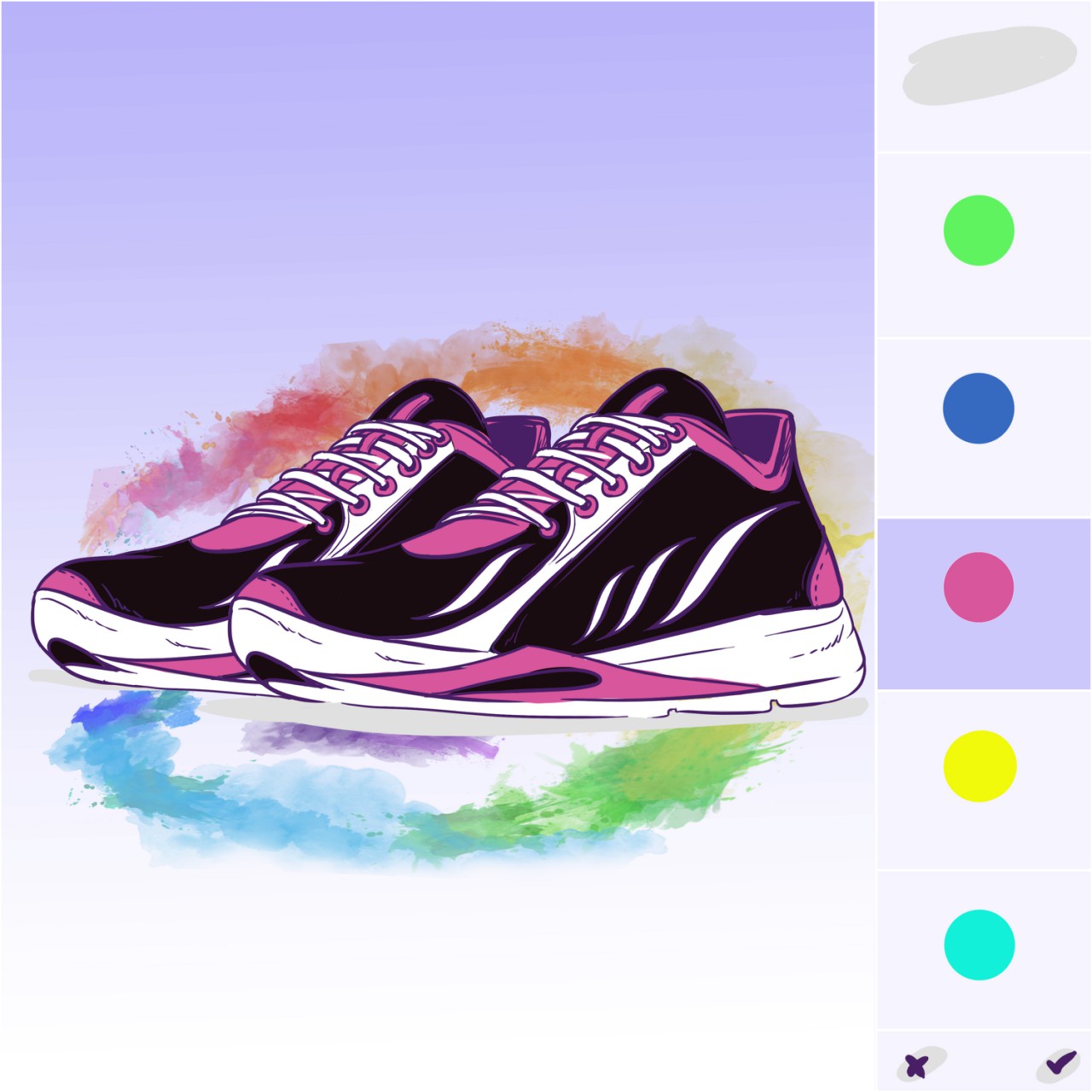
Latest Release 2.9.4
[vc_row height=”medium” color_scheme=”” us_bg_color=”” us_text_color=”” us_bg_image=”” us_bg_video=”0″][vc_column][vc_column_text]We hope you had a great summer!
We have been working hard here at The Custom Product Builder next to pools and campfires and we have released some great new features and bug fixes!
New Features:
- Create unlimited price variants in Shopify
- Option to change the touch / double click event for iOS devices
- Added multiple cart product previews
- Added canceling user choice in Color and Image thumbnail categories
- Added cloning for categories
- Added ability to change the order of panels
- Workaround for Shopify’s API call limit
- Added automated emails to newly installed shops to the store contact email
- Added ability to change the size of the main menu
- Migrated to Google cloud datastore
New Features Available With Customization:
- Social sharing
- Private user wishlist
- Public gallery of user generated custom product designs
- Printable areas (for promotional products)
Bug Fixes:
- Bug with Quantity box and multiplying price fixed
- Bug with Monogram custom layers jumping fixed
- Bug with locking of switching between panels fixed
- Bug with unfillable Monogram text field fixed
- Fixed compatibility with some themes
- Problems with encoding solved
- Fixed bug with dropdown categories and default settings
- Bug with default variants and adding to cart fixed
- Infinity adding to cart fixed
- Fixed information transferring from multiple select category to the cart
- Fixed displaying of uploaded image
- Fixed sizes of custom layers
- Bug of categories ordering fixed
- Bug of displaying images fixed
- The custom text shown on the image in the cart
- Product image centered on mobile phones and desktops
- Displaying custom products in Internet Explorer 11
- Theme conflicts fixed
- Cart infinity loading fixed
- Multiple select category. Strange behaviour of choice, creating variants bug, reset button bug fixed. And other improvements for this category
- Layout fixed
- Font manager fixed
- Kayako connection errors fixed
- Bugs with creating product fixed
- Bug with deleting main image fixed
- File upload area with displaying image fixed
- Wrong link to uploaded images fixed
- Bug with blank image instead of image with product preview fixed
- Bug with new custom layer which close the product main image fixed
- Bug with resizing image after creating custom layer fixed
- Lost icons found
- Bug with summary tab and adding to cart fixed
- Bug with creating a new product fixed
- Fixed bug with Text category
- Bug with product cloning fixed
Please let us know if you have any questions or suggestions! Our team is always ready to hear your feedback at support@buildateam.io
Cheers,
The Custom Product Builder Team.P.S: If you need help with custom ecommerce design or development, don’t hesitate to reach out to us at hello@buildateam.io for a free quote.[/vc_column_text][/vc_column][/vc_row]
-
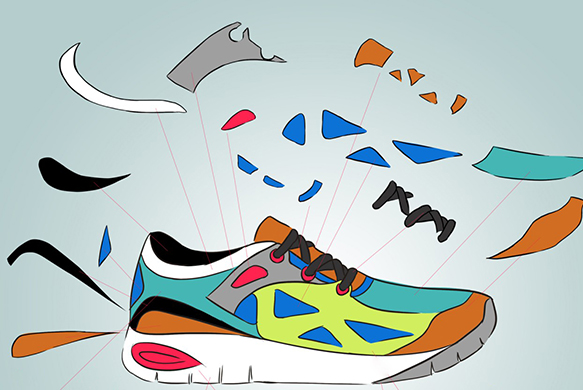
Getting Started With Custom Product Builder: Give Customers Exactly What They Want!
[vc_row height=”medium” color_scheme=”” us_bg_color=”” us_text_color=”” us_bg_image=”” us_bg_video=”0″][vc_column][vc_column_text css_animation=””]
So, what brought you to this page? Product manufacturing is accelerating at an unprecedented pace due to the introduction of new technologies. At the same time, business is confidently turning online, where technological progress opens up very flexible opportunities in the distribution of products, studying consumer tastes, etc. So, have you ever thought about giving users the opportunity to create for themselves what they want to buy, and especially if this is technically possible? If your answer is yes, this article is for you. If not, then maybe you will also be interested in learning how the visualization of custom products with product builder can help your business reach a new level. Let’s begin!
What Do You Need to Start Selling Custom Products?
Step 1: Collect graphic material
First of all, you need to determine the type of graphics that will be placed on your site. This can be either 2d or 3d graphics. Here it is necessary to consider the pros and cons of each since the success of the project will largely depend on the decision you make.
The main advantage of 2D graphics is their cost. This is the cheapest way to visualize products. This is explained by the fact that:
- Special software is either not required at all, or is not so resource-intensive and expensive;
- The production time of one image is lower in comparison with the construction of a 3D model;
- One of the options for 2D graphics is the product photo;
- Fewer details to draw;
- Less time is spent on learning how to work with relevant programs.

Usually, it works like that: transparent png images are superimposed on each other in a product visualizer and this produces a complete product image. In this scenario, the pictures can be repainted and corrected in Photoshop or exported in png layers from 3D software.
Meanwhile, where there are the pros, there are the cons:
- This way of presenting the goods is traditional; it is taken for granted and does not arouse the interest of the buyer;
- To use this method one needs a plenty of standard product photos to display all the variations;
- The resulting images cannot be reused. Every time you need to make changes to the images, you will have to redo all the pictures again;
- To customize the product, you sometimes need to show it from different sides, which will require several images. Multiply the number of these images by the number of variables and you will see that this method is not always quite so cost-effective.

In general, 2D is a solid solution, which is even more convenient for those who do not have a quick access to 3d software. E-commerce photo-realistic renderings are achieved due to a composition of many images of a product taken from different angles. The user can see a 3D preview in this case, as browser scripts make it look like a spinning object.
This approach is very common among brands. For instance, Nike uses it in the notorious NikeiD product configurator system. The other example is the Case Monkey website, making it possible to pour your personality into an authentic iPhone case.
To start collecting 2D images you don’t need any special software or a tutorial. All you need can be done in Photoshop, for example.
If you are convinced that 2D graphics are not the best choice in your particular case, pay attention to 3D graphics.

Pros:
- Visual appeal makes 3D images more futuristic and exciting.
- Motion enables users to look at the product from different angles and see more details;
- 3D animation provides more in-depth customer engagement, as the creative activity alone excites them;
- These animations are of the better quality, compared to regular 2D images;
- 3D models are reusable and can save money in the future despite being costly the initial stages.

Cons:
- It requires expensive software, powerful hardware, and well-trained specialists. As a consequence, the development of such images is substantially increasing in price;
- If one utilizes browser rendering, the quality can be no big deal. In this case, you need all your customers’ browsers and devices to be powerful. Since it is not available, objects look slightly game-like;
- The process of developing 3D animations is long. If the products in your store change frequently, this is not the best option;
- Given the two factors before, there is a risk of investing money in an unprofitable project.
To develop such material, you’ll need to use 3D software like 3D Maya, Vue, Sculptris, ZBrush, 3ds Max and/or others. Then, you’ll need to export either 3D objects or 2D png images for product visualization.
Step 2: Choose a custom product builder software
First of all, we need to say that you can develop your own software to add a custom ecommerce product configurator to your store. However, like any custom development, this process is long, resource-intensive, and expensive, and therefore not always effective. Use it only if you have a unique idea and/or unique product.
If you don’t want to build your own product software and have been looking for an off-the-shelf solution, you might have noticed that there are mainly 2 types of tools: product customizer and product personalizer. Product configurators allow customers to make changes in the product itself: change the size, color, material, shape, texture, etc. Sometimes they enable them to build a product from available parts like a ‘create your own pizza/burger’.
Product personalization means you cannot change the product’s properties but can add something authentic to it, for example, your own photo, logo, motto, etc. These are all about printable areas of pre-selected products. The classic example is a T-shirt with a print. Most often, the software offers to implement only one of these options.

When choosing an ecommerce product builder pay attention to the following features:
- Conditional logic complexity;
- 3D engine availability;
- Transparent image support;
- Multidimensional preview mode;
- Ability to save customized & visualized product;
- Inner product parts visualization;
- Ability to compare options;
- Mobile optimization;
- Sharing the customized product;
- Multilanguage interface;
- Color & changeable options;
- Unlimited vs limited product plan, etc.
There are many variants of custom product builders on the market. Nevertheless, most of them are specific, designed for a certain platform, type of goods, etc. and therefore there is not enough competition between them. In addition, you can never be sure that the application will be updated and improved regularly.
Among all similar programs, Custom Product Builder by BuildaTeam stands out as it allows us to use both product customization and personalization at once. You don’t need to choose or leave out either of the options. By giving users more choice, you have more chances to win sales. Due to this, the number of goods sold increases, while product return percentage rapidly decreases. In addition, the degree of customer involvement & engagement in the creative process is strong, which develops your brand and enhances customer loyalty.
Step 3: Give them what they want
Next, you need to install the selected module and upload graphics to it. After that, users will be able to invent their own versions of the products. Easy.
The Benefits of Custom Product Builder
It’s time to discuss the economic advantages of product customization:
- Growth in sales with a return rate lower than 5% together with a 70%+ repurchase rate.
- With the customizer app, you receive a valuable tool for studying the interests, tastes, and needs of the audience.
- The tool reduces the cost of manufacturing products that will not find a buyer.
- Interactive advertising move: people will share their experiences using the customizer with their friends or just tell them where they got such an exclusive thing, thus bringing new loyal customers to your store.
- Revenues will grow, as you can make more money from exclusivity and custom manufacturing. For example, Nike raises the price of custom products by 30-50% (source)
- Using a customizer you will join the recognized retail tech trend of 2017 (source).
So, as the benefits are undeniable, start your own journey using this roadmap. It was a pleasure to help you in finding your way!
[/vc_column_text][/vc_column][/vc_row]


